
Course creators are always looking for new ways to make their courses more engaging, more exciting, and flat-out more fun. One of the most popular ways to get there is with gamification. It’s right there in the name!
Say the word, and it’s easy to picture a flashy leaderboard stirring up friendly competition, a “winner” trophy tacked onto a profile image, or a celebratory animation when a student completes a lesson. A little gimmicky to some, but a lot of it genuinely works.
If you’ve held back on gamification because it sounds like something that would turn your course into a video game instead of a serious learning experience, that’s a misunderstanding worth clearing up.
In this article, we’re taking a few popular terms from the gaming world — points, badges, and progress bars — and redefining what each one does within an online course. Each has a different role, but together they build momentum that carries a student from the first lesson to the finish line.
And the best part? All three gamification features are built right into AccessAlly, ready to switch on in your course.
Points: Small Wins that Add Up
Points are one of the more subtle gamification features you can add to your online course. They’re often a starting point for bigger strategies, too.
A common way to use them is as smaller, more frequent rewards students earn as they tick off tasks on the way to bigger milestones. In that setup, points tend to be tied to everyday, almost routine parts of working through a course, such as:
- Logging in
- Watching a video
- Completing a lesson within a larger module
- Taking a quiz or submitting an assignment
- Leaving a comment or posting in the community
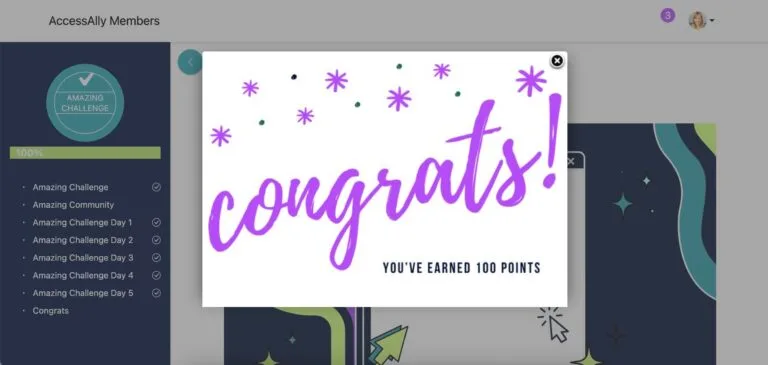
Every action a student completes increases their point total, so it grows little by little each time they show up.
You can also feed those running totals into a leaderboard. On top of the friendly competition it creates, it also gives students a sense of community — that they’re working through the course alongside other people.
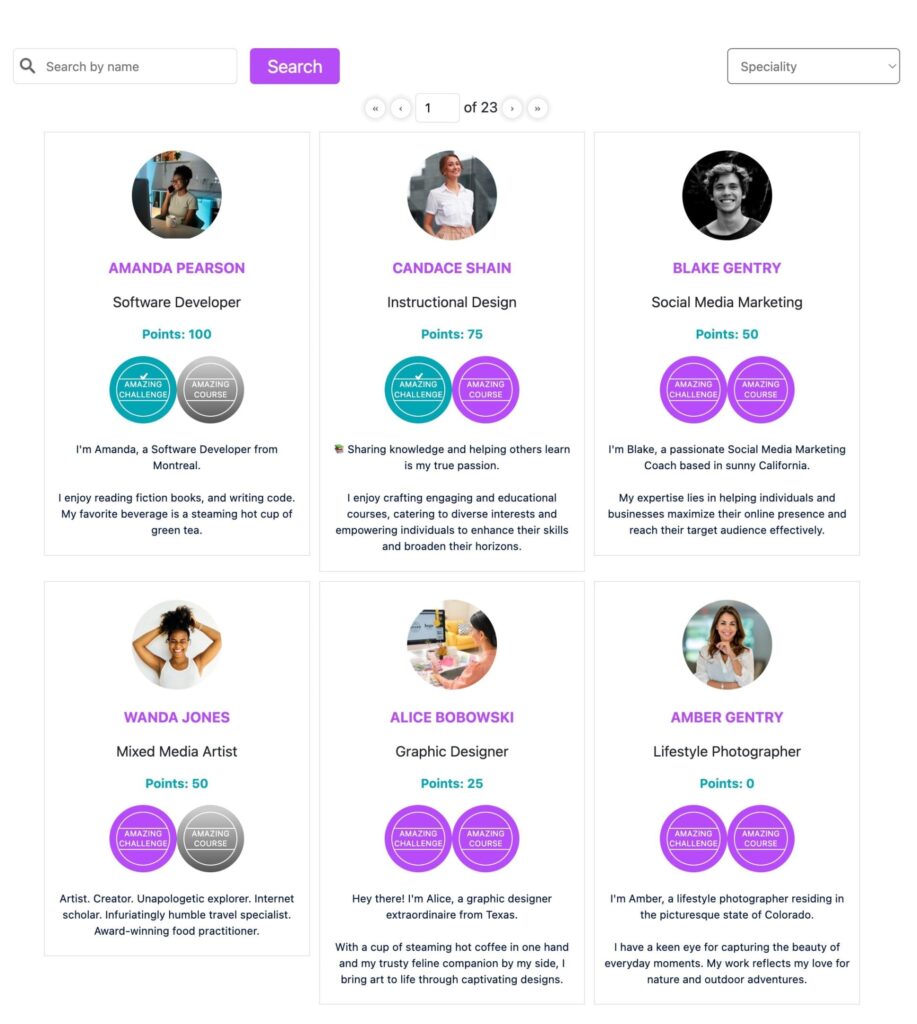
The points themselves can carry real value as well, serving as a form of currency students can cash in for tangible rewards, like:
- Bonus content or exclusive modules
- Downloadable resources
- One-on-one time with you
- Physical prizes or membership discounts
AccessAlly gives you everything you need to build a complete points system into your course — automatically awarding points as students take action, celebrating their milestones, and unlocking the rewards they’ve earned, all without manually tracking a thing by hand.
Explore our collection of guides on the many ways to use points across your AccessAlly course:
Badges: Proof Worth Showing Off
Badges are the next level up — the bigger, more noticeable payoff a student earns for finally reaching those major milestones in your course, like finishing a module, passing a certification exam, or completing the whole program.
Because a badge stands for real progress, students tend to take real pride in earning one. It’s a marker of how far they’ve come, and a signal to everyone else of what’s possible to reach.
In AccessAlly, you can award a badge one of two ways: when a student reaches a certain points total, or when they complete a specific set of objectives you’ve tagged.
From there, you decide how it looks. You can customize the icon to fit your course, uploading a game-themed graphic like a trophy, a ribbon, or a medal, or a design of your own. Just make whatever you choose eye-catching, because a badge is meant to be seen.
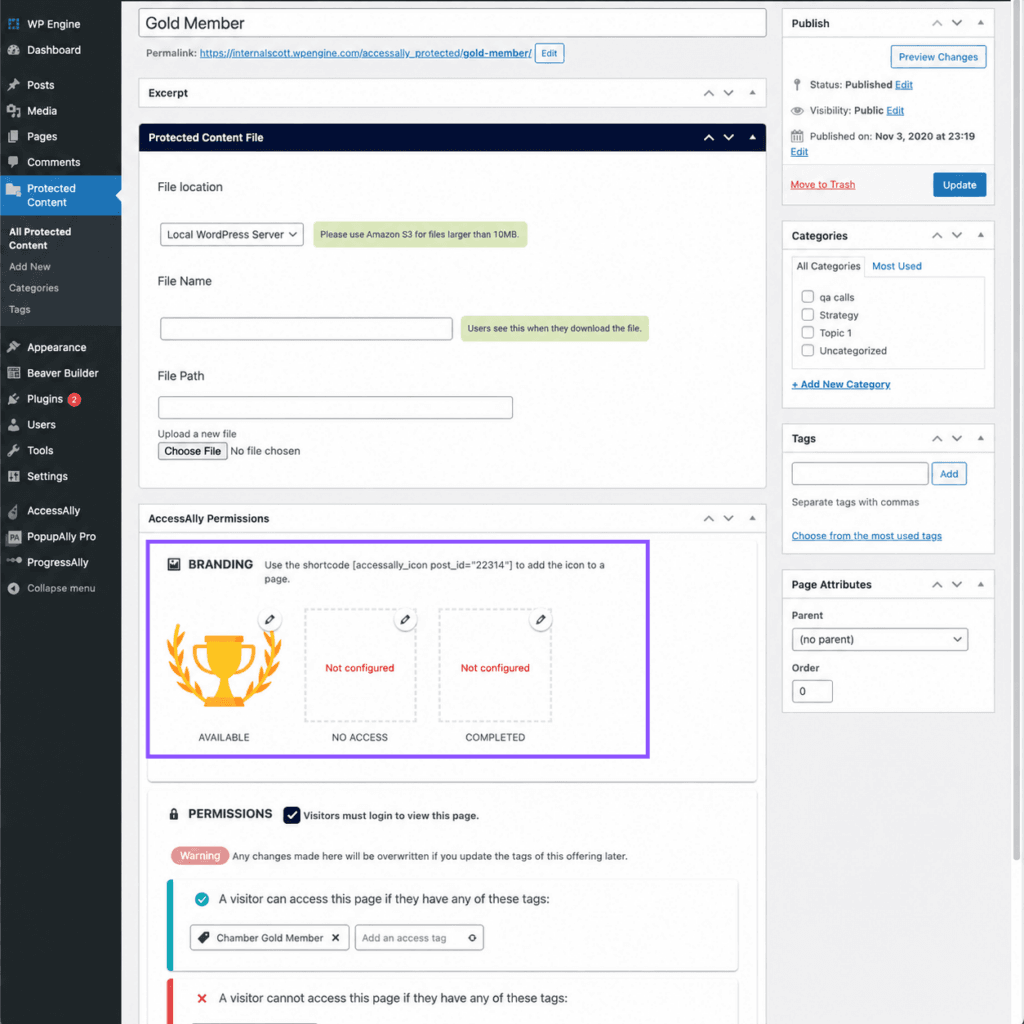
Speaking of…what fun is a badge if a student can’t show it off? That’s where you can set up the member directory to display each badge on a student’s profile automatically.
And if you’re already displaying course icons on your members’ profiles, their earned badges can sit right alongside them — which comes with a nice promotional perk for both of you.
For students, it’s a place to show off what they’re working through and what they’ve already mastered. For you, it’s a quieter promotion: when another student spots a course on someone else’s profile, they’ve just discovered another one of your offerings without you having to market it to them.
Here’s how to get badges added to your AccessAlly course for students who have earned a little recognition.
Progress Bars: Motivation to Keep Going
Points and badges both reward a student for something they’ve already finished. A progress bar works the other way around — less a reward, more a motivator. Instead of just marking what’s done, it also shows a student how much is still ahead.
Without that view, students have no real sense of where they are in your course. Even though they can see they’re on Module 2, what they don’t see is how many modules they have left. That uncertainty can make a course start to feel like it’s dragging on with no end in sight.
Add a progress bar, and a student can see they’re 60% of the way through, or that two lessons are all that stand between them and the end. Now the finish line feels reachable, and every lesson they complete visibly moves them closer to it.
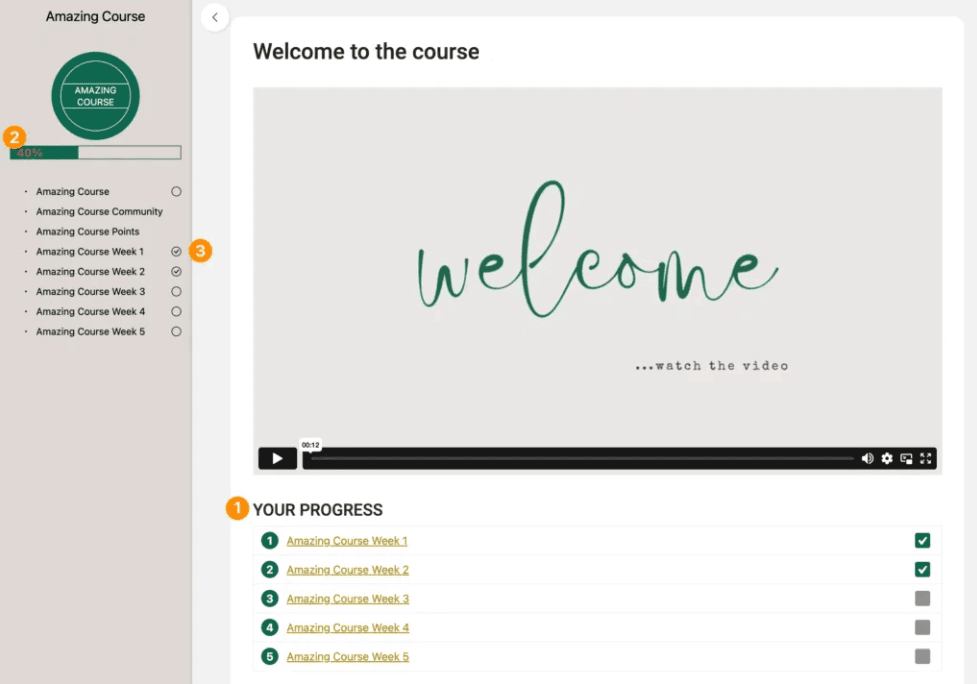
If your badges are running on objective checklists, your progress bars can run on the very same ones — so no new setup to wire up. Each objective a student ticks off moves their bar forward on its own.
AccessAlly gives you a couple of different options to choose from for how you want to display that progress: a traditional bar, a pie chart, a checklist, or a simple percentage.
Where you place it ties into the gamification just as much. A progress display on the dashboard greets a student at login with an instant read on their standing. One set at the top of a lengthy module lets a student gauge how much they have left while they’re well into your content.
How Points, Badges, and Progress Bars Work Together to Gamify Your Course
On their own, points, badges, and progress bars are each a useful gamification tactic. Together, they’re what carry a student from their first lesson to the last, because each one feeds the next.
It starts with points. As a student completes actions, their points add up into something they can show off on a leaderboard or spend like currency on a reward.
Those same points are also doing double duty, because every one a student earns builds toward a badge — the visual marker they get to show off for clearing a milestone along the way.
And underneath both runs the progress bar, gathering up every point earned and every badge unlocked into one steady view of how far a student has come and how much is still ahead.
That’s gamification done right: not one flashy feature bolted on, but three working as a system — points feeding badges, badges feeding completion, and a progress bar turning the whole journey into something a student can see, feel, and want to finish.
Ready to level up your course even more? Take a look at everything AccessAlly’s gamification can do — from letting students chart their own path to surprise bonus unlocks and beyond!