
Students don’t drop out of courses because the content is bad. They leave because the momentum disappears somewhere between Module 1 and Module 5.
Life gets in the way. They lose track of where they were. It starts to feel like nobody notices whether they show up or not. Eventually, the logins stop altogether.
What you have built on AccessAlly is a learning community: a home your students log into, move through, and hopefully stick with. Engagement is about keeping that community active, and it comes from the systems you build to create connection and feedback.
In this article, I’m going to walk through the tools you have available to you inside AccessAlly right now – starting with the community itself, then the specific ways to increase engagement inside it, from gamification and quizzes to personalization, progress tracking, and the data that tells you when someone needs a nudge.
Start with the Community: Give Students a Reason to Belong
AccessAlly is a membership platform at its core, which means community is the home of everything else that lives inside. CommunityAlly brings that connection directly into your site, without sending your students off to a third-party social platform where they compete with ads and distractions.
You can create a single global space for everyone, or smaller groups tied to specific courses or cohorts. I like to organize discussions by topic so students can find the conversations that matter to them.
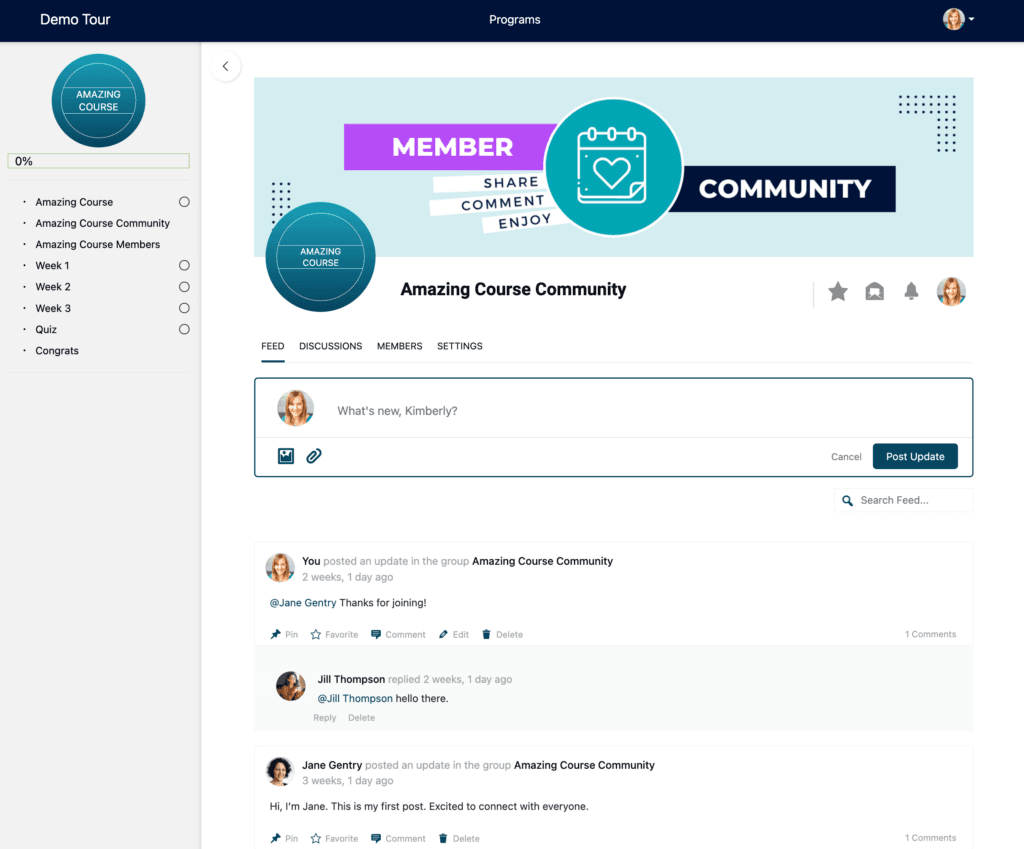
Embed those threads right below your course pages, and the discussion happens where the learning does. A member directory rounds it out, letting students find and connect with each other – and for many, that networking is worth as much as the lessons.
But the tool is only half of it. An active community is something you cultivate: welcome new students by name, seed the first conversations so the space never feels empty, respond quickly in those early days, and give people small reasons to keep coming back to talk.
When students feel connected to their peers – people to share wins with, ask questions of, and stay accountable to – they stick around long after the core curriculum is done. Everything that follows is a way to increase engagement inside that community.
Drip Content: Pace the Learning Journey
Giving students access to everything at once sounds generous. In practice, it often backfires. When a student sees twelve modules waiting for them, many feel overwhelmed before they even start. Others rush through the material without absorbing it.
Either way, your completion rates suffer.
Drip content solves this by pacing the learning journey. Instead of unlocking everything on day one, you release content on a schedule – weekly, bi-weekly, or whatever cadence fits your course structure.
AccessAlly supports several ways to handle this:
- Scheduled Releases: Unlock modules based on a set timeline. For example, Module 2 might release seven days after a student signs up.
- Progress-Based Unlocks: Gate content behind progress, so Module 3 only opens up once the student passes the quiz for Module 2.
- Cohort Pacing: Run programs where everyone moves through the material together on specific dates.
Pacing does more than prevent overwhelm; it builds anticipation. Students have something specific to look forward to each week, and because they aren’t racing ahead, they engage with each lesson before moving on. That structure is what carries students through.
Quizzes: Check Understanding and Keep Students Active
Watching a video is a passive experience. It is easy for a student to lean back, zone out, and eventually lose interest. Quizzes turn learning into an active process. They require your students to recall, apply, and demonstrate what they have learned before they move on.
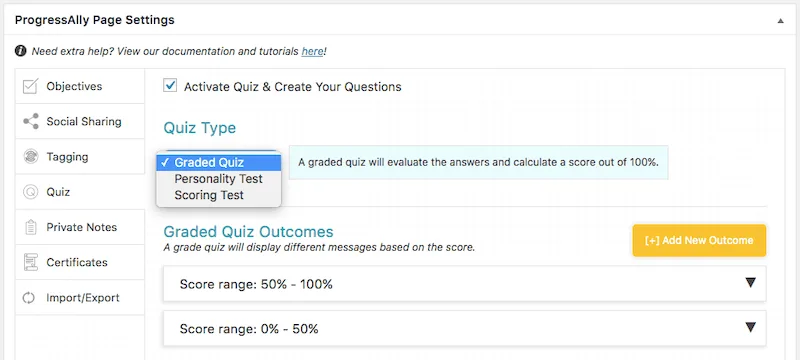
AccessAlly includes three quiz types, and I find each serves a very different purpose in the student journey:
- Graded Quizzes: This is the classic format where you set a passing score. Students either move forward or review the material and try again. I use these to gate access to the next module, so everyone understands the core concepts before they progress or earn a certificate.
- Personality Quizzes: These sort students into categories based on their responses, which you can use to point people toward the content that fits their situation.
- Scoring Tests: These work similarly but segment students by skill level. A beginner sees foundational content while someone more advanced skips ahead, so you meet each student right where they are.
Quizzes also create natural checkpoints. They give students a reason to pause and reflect on the material. For you, the results are a clear window into where people are thriving and where they might be struggling – and, as you’ll see next, the starting point for personalizing their experience.
Personalization: Make the Experience Feel Built for Each Student
A generic, one-size-fits-all path is one of the fastest ways to lose people. When content is too basic, your advanced students tune out. When it is too advanced, beginners feel lost. Personalization closes that gap by matching the content to the person, and relevant content is what keeps them engaged.
This is where AccessAlly’s customization pays off. You can show different content to different students based on their tags, quiz results, or progress, so the path adapts to each person.
A few ways I put this to work:
- Branching paths off quizzes: Use personality quizzes and scoring tests to route students toward the content that fits their situation or skill level.
- Personalized dashboards: Give each student a homepage tailored to where they are – their next lesson, their current progress, and the resources most relevant to them.
- Tag-based content: Reveal or hide content based on what a student has purchased, completed, or shown interest in, so everyone sees material that applies to them.
When the experience fits each student, they stay engaged because it feels made for them. With AccessAlly, it is.
Private Notes: Give Students a Space to Reflect and Connect
Some of the most valuable learning happens internally – when students pause to process what you’ve taught and make the material their own. AccessAlly’s private notes feature gives your students a dedicated space to do exactly that.
They can take notes as they move through your lessons, journal about how they are applying the concepts, or jot down questions to revisit later. It is their personal space, built right into the course interface.
The notes also open a line straight to you. Turn on the Q&A function, and students can ask questions privately and get a personal answer back. It creates a real feedback loop between you and your class. When a student asks something and gets a thoughtful response, it makes them feel seen and supported.
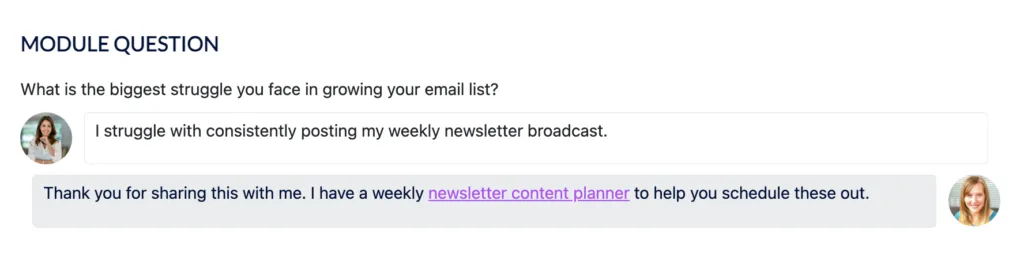
Private notes turn passive consumption into active processing. Students who write things down or put concepts into their own words retain more and engage more deeply. The Q&A element adds a human connection that keeps them invested even when the material gets challenging.
Progress Tracking: Show Students How Far They’ve Come
When students see their progress, they are much more likely to finish. It sounds simple, but visibility matters.
A student who logs in and sees “67% complete” feels different than one who just sees a list of lessons. The first has proof of their momentum. The second has no idea how close they are to the finish line.
AccessAlly makes this progress visible in a few ways:
- Progress Bars and Pie Charts: These show completion percentages at a glance. I like putting these right on the student dashboard so the first thing people see is how far they have come.
- Objective Checklists: These break progress down into specific tasks. Seeing a list of “checked” items makes the remaining work feel much more manageable.
- Navigation Indicators: These place checkmarks in the course menu, so students always know which lessons are done and exactly what is next.
These are motivation mechanics. Seeing a progress bar fill up triggers the same psychological reward that keeps people engaged in fitness apps or habit trackers. Each one is visible proof they are getting somewhere.
This also helps when life gets in the way. If a student takes a week off, they can log back in, see their checkmarks, and pick up right where they stopped.
If you want to see exactly how to set these up and display them throughout your course, take a look at my more detailed guide: [How to Track Student Progress in Your Online Course].
Gamification: Make Progress Feel Rewarding
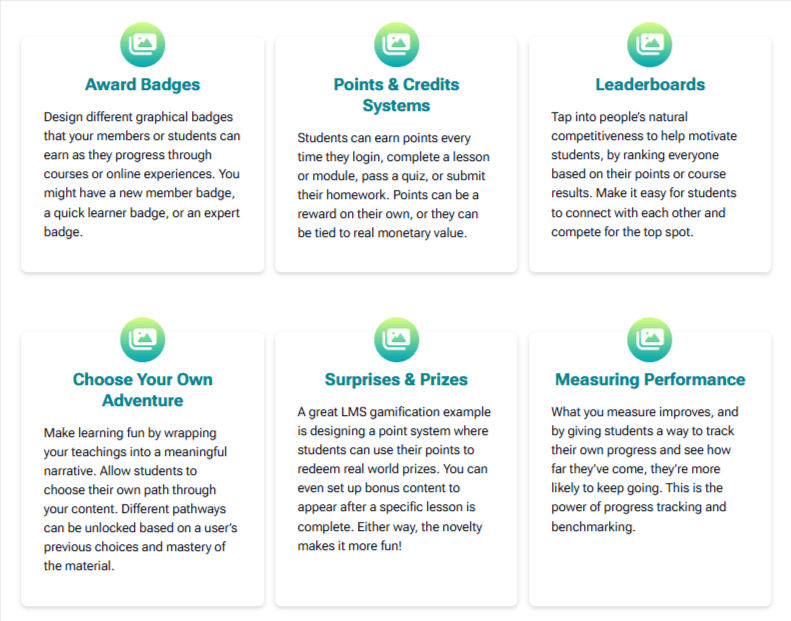
AccessAlly lets you create a gamified points-based system where students earn credit for the actions that actually matter, like logging in, completing lessons, or passing quizzes. These points can be purely motivational, or you can tie them to real rewards like bonus content or exclusive resources students can redeem.
Badges give your students visual proof of their achievements. When you display these on profiles or in member directories, everyone sees what is possible. It is a form of recognition that motivates the achiever and gives newer students something to aspire to.
If your audience thrives on healthy competition, leaderboards take things further. By ranking students by points or course progress, you give them a clear reason to keep pushing forward. Not everyone is competitive, but for those who are, seeing their name move up the list is a powerful driver.
You can also use the element of surprise. I like to set up the system to reveal hidden bonus content when a student hits a specific milestone – like finishing a difficult module or passing a final quiz. These small surprises break up the routine and give people something unexpected to look forward to.
Gamification works because it creates micro-rewards throughout the journey. Your students see their effort paying off well before the finish line. Every completed lesson becomes a small win that builds the momentum they need to get there.
Engagement Data: Catch the Students Who Are Slipping Away
Disengagement is sneaky. By the time a student stops logging in, you have usually already lost them. The warning signs almost always show up in your data first, long before anyone officially disappears.
AccessAlly keeps a running record of how each student is moving through your course, and a few signals tell you the most:
- Progress and completion: A student who has been stuck on the same module for weeks is telling you something. Maybe the lesson is too hard, maybe life got busy, or maybe that is the exact spot where your content loses people.
- Quiz results: When one student struggles with a quiz, that is an individual who needs a little support. When a whole group dips on the same quiz, the material is the problem.
- Activity gaps: Because AccessAlly tracks progress and syncs with your CRM, you can spot the students who were active and then went quiet – the exact moment to reach out before they drift away for good.
The whole point is to act on what you see. When I notice someone stall on the same module for two weeks, that is my cue to send a check-in, offer a nudge, or ask if they are stuck. When an entire cohort struggles at the same spot, I know exactly which lesson to rework.
Every other tool in this article builds engagement into the experience. This one shows you where it is breaking down, so you can step in while there is still time to turn things around.
Certificates: Give Students a Reason to Finish
Every journey needs a destination. Certificates give your students a tangible goal to work toward. It shifts the focus from “finishing a course” to “earning a credential.”
AccessAlly’s certificate feature automatically generates personalized PDFs the moment a student completes your course. Their name is added to the document automatically, making it ready to download, print, or share.
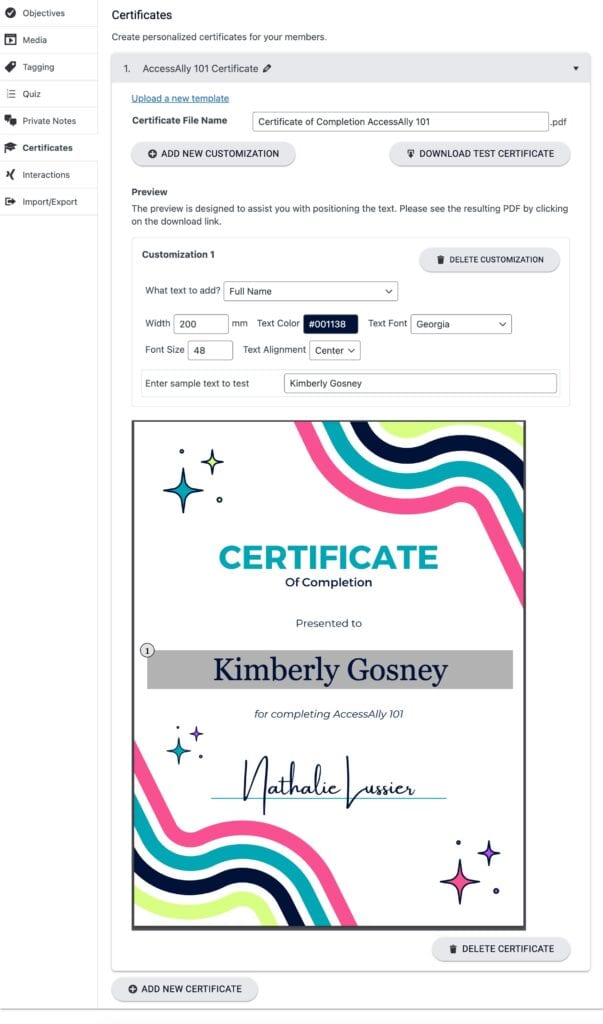
You have full control over the requirements. You can gate a certificate behind the completion of every single lesson, a passed final quiz, or any other milestone you define. When students know exactly what they need to do to earn that reward, the clarity drives them to take action.
For the student, a certificate is proof of their hard work – something they can share on LinkedIn, add to a resume, or hang on a wall. It validates the hours they invested in your material, which is a powerful motivator, especially when they hit that mid-course slump where motivation usually starts to fade.
Keep Your Learning Community Engaged
Keeping students active comes down to how you structure the experience. The courses with the highest completion rates are the ones that build momentum into the actual experience.
It starts with the community itself, then layers in the tools we have covered: drip content to prevent overwhelm, quizzes that keep students active, and personalization that makes the path feel built for them.
Add private notes for feedback, progress tracking to show people how far they have come, gamification that rewards effort, and engagement data to catch anyone slipping. Finally, certificates make the finish line feel tangible.
You already have every one of these tools inside AccessAlly – no add-ons or extra plugins required. They are built to work together to keep your learning community active and moving forward.
Your students want to finish – that is why they joined in the first place. Our job as creators is to make sure the platform makes reaching that goal feel possible.
With the right setup in place, it does.